THE INDICATOR — NQ · TRADINGVIEW · INVITE-ONLY
The range draws itself.
You work upstairs.
Penthaus is a TradingView indicator for NQ. It draws the overnight dealing range, the fib levels across it and the OTE pocket — on whatever timeframe you trade.
Invite-only on TradingView · access to your username within 24 hours
01 / THE CHART
What lands on your chart.
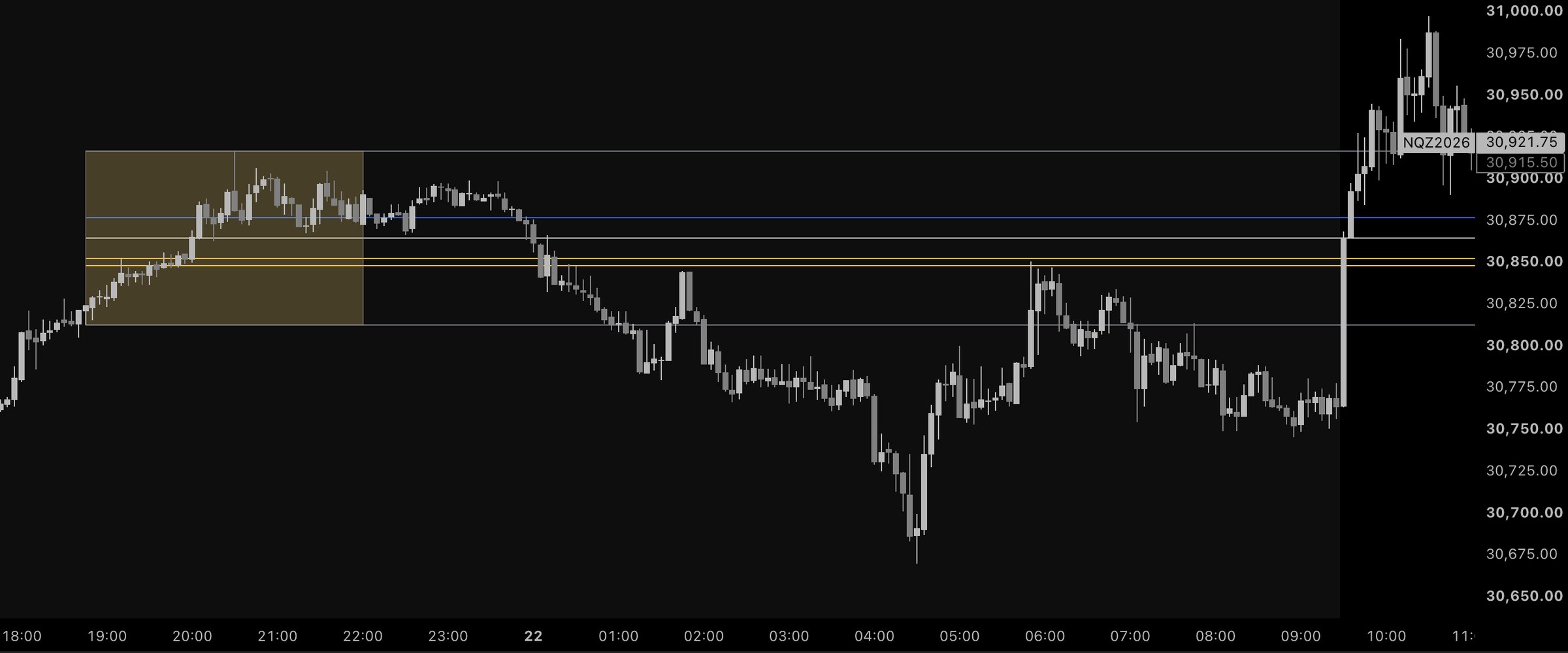
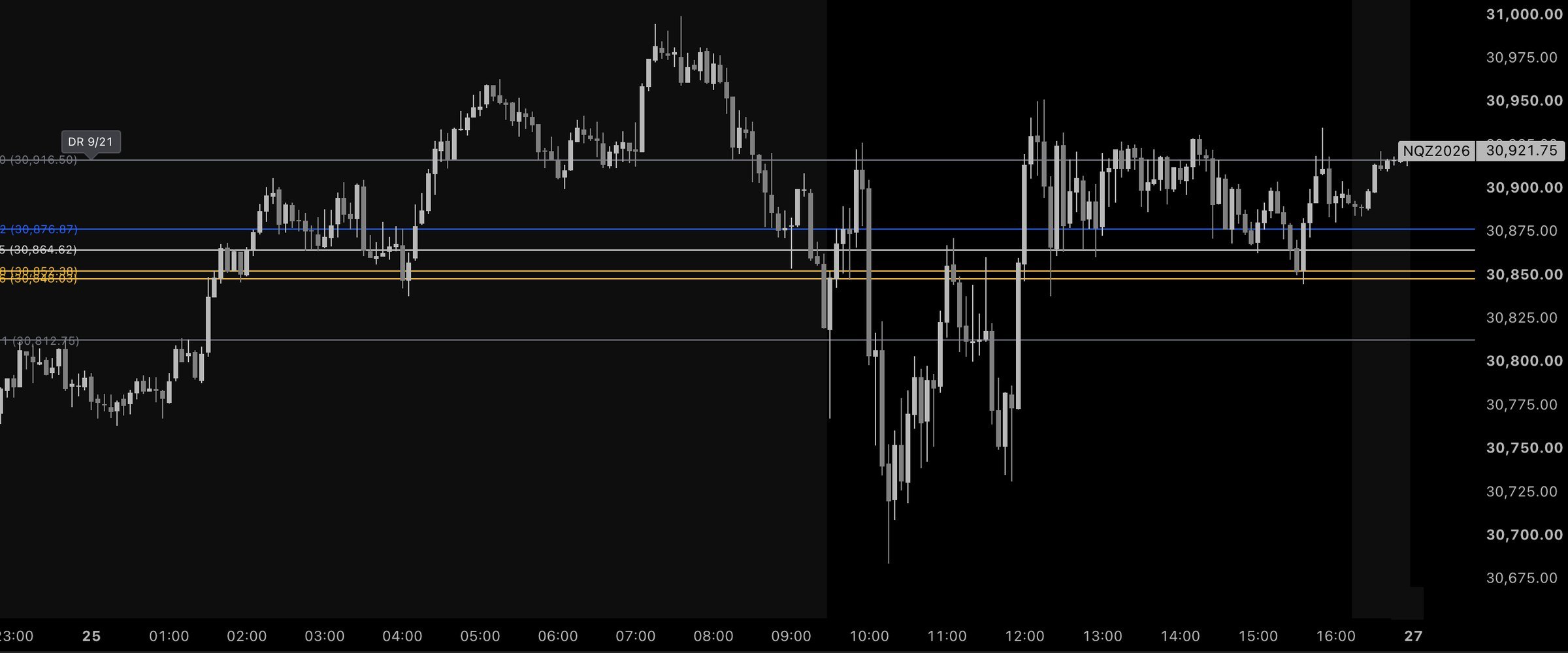
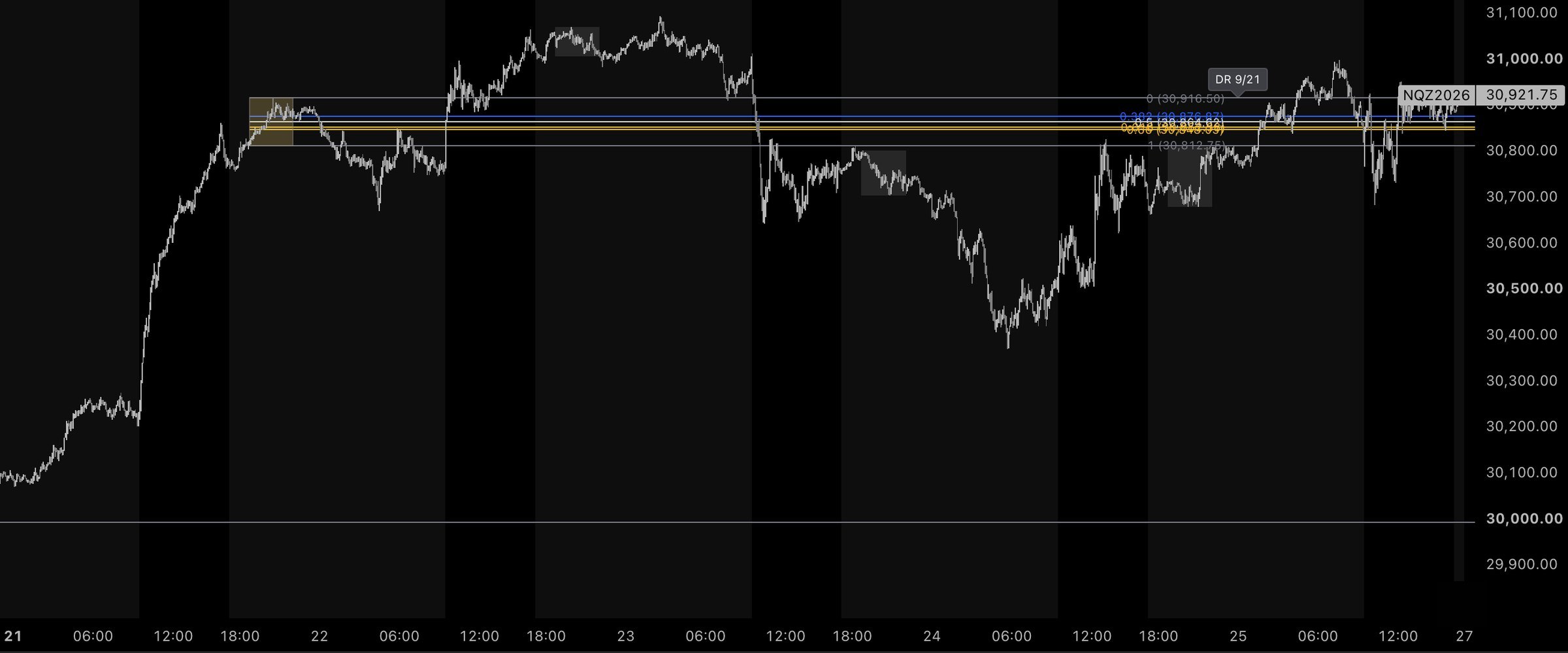
No dashboard, no panel to read. Lines, where the overnight session put them.
02 / WHAT IT DRAWS
Six things.
Nothing it can't show you.
Pine v6, written in-house. Every input is on the settings panel, and every default is printed below.
The overnight dealing range
The high and low NQ prints between 6:45 and 10:03 pm ET, measured on 1-minute data whatever timeframe your chart is on. The session window, the timezone and the precision timeframe are all inputs.
Eight fib levels
0, 0.382, 0.5, 0.618, 0.66, 0.705, 0.79 and 1 across the range — each one toggleable, each with its own color. On by default: 0.382, 0.5 (equilibrium), 0.618 and 0.66.
0.618 – 0.66
The golden pocket — the OTE area of the dealing range. Drawn from the range itself, so it lands in the same relative place on a wide night and a quiet one.
Direction that holds
On Auto, the fib orients to the side price is on — and flips only after a bar closes a set number of points beyond the 0.5 (default 15). An equilibrium touch doesn't turn the pocket over. Prefer to set it yourself? Direction can be manual.
The CME trading day
An option to roll the trading day at 6 pm ET, the way CME counts it, instead of at midnight.
A range from further back
A reference range from further back, picked by proximity to price.
WHAT IT DOESN'T DO: SIGNALS, ENTRIES, TRADE CALLS. IT DRAWS LEVELS. LEVELS DO NOT PREDICT PRICE.
03 / THE KEY
Three steps.
No file to install.
Invite-only scripts live on TradingView's side. Access is granted to your account — nothing to download, nothing to paste.
-
01
Pay on Whop
Monthly or lifetime. At checkout, give your TradingView username — the handle on your profile, not your email.
-
02
Access lands on that username
Within 24 hours. A username typed wrong is the one thing that slows it down — if it doesn't show, write to desk@penthaus.org.
-
03
Add it to the chart
In TradingView, open Indicators → Invite-only scripts and add Penthaus. Set your levels and colors once; the range redraws every night on its own.
04 / THE PRICE
Two prices.
Both on the page.
No countdown timers, no coupon codes, no "original value" strikethroughs. Payments via Whop.
MONTHLY
THE INDICATOR, MONTH TO MONTH
$49/mo
Billed monthly · cancel anytime
- The overnight NQ dealing range, measured on 1-minute data
- Eight fib levels, each with its own toggle and color
- The 0.618–0.66 pocket
- Auto direction — flips only on a close through EQ
- Cancel anytime — access ends with the paid period
LIFETIME
THE INDICATOR, FOR THE LIFE OF THE SCRIPT
$399 once
Pays for itself vs monthly after ~8 months
- Everything in Monthly
- Access for the life of the script
- Every update included
- Nothing renews — nothing to cancel
INVITE-ONLY ON TRADINGVIEW · ACCESS TO YOUR USERNAME WITHIN 24 HOURS · DIGITAL ACCESS — NO REFUNDS ONCE ACCESS IS GRANTED.
05 / QUESTIONS
Asked on the way up.
Which markets and timeframes?
Built for NQ — Nasdaq-100 futures. It works on any chart timeframe: the range is measured on 1-minute data underneath, so the high and low don't move when you change the chart. The session window and timezone are inputs; the defaults are NQ's overnight session.
Does it give signals?
No. It draws levels. No signals, no entries, no trade calls — and the levels do not predict price. What you do with them is your book.
Do I need a paid TradingView plan?
It works on your existing TradingView account. Invite-only access isn't part of any TradingView plan — it's granted by the author, to your username, and the script appears under Indicators → Invite-only scripts.
Can I cancel?
Monthly cancels anytime; access is removed at the end of the period you've paid for. Lifetime is one payment — there is nothing to cancel.
Refunds?
Digital access — no refunds once access is granted; monthly can be cancelled anytime.
What about updates?
Updates publish to the same invite-only script, so they reach your chart without reinstalling anything. Lifetime is access for the life of the script, updates included.